
If you are a mobile repair technician looking to flash firmware, remove FRP, or unlock devices, Unlock Tool is one of the most powerful and essential tools available today.
Getting started requires three simple steps: registering an official account, purchasing an activation license, and downloading the latest software setup. Many beginners make small mistakes during registration that delay their activation.
This comprehensive, step-by-step guide will walk you through the entire process from start to finish without any errors.
📋 Table of Contents
Step 1: How to Register an Account on Unlock Tool
Before you can purchase a license or log into the software, you must create your official user profile.
- Visit the Official Server: Open your browser and go to unlocktool.net.
- Access the Registration Portal: Click on the Register button located at the top right corner of the homepage.
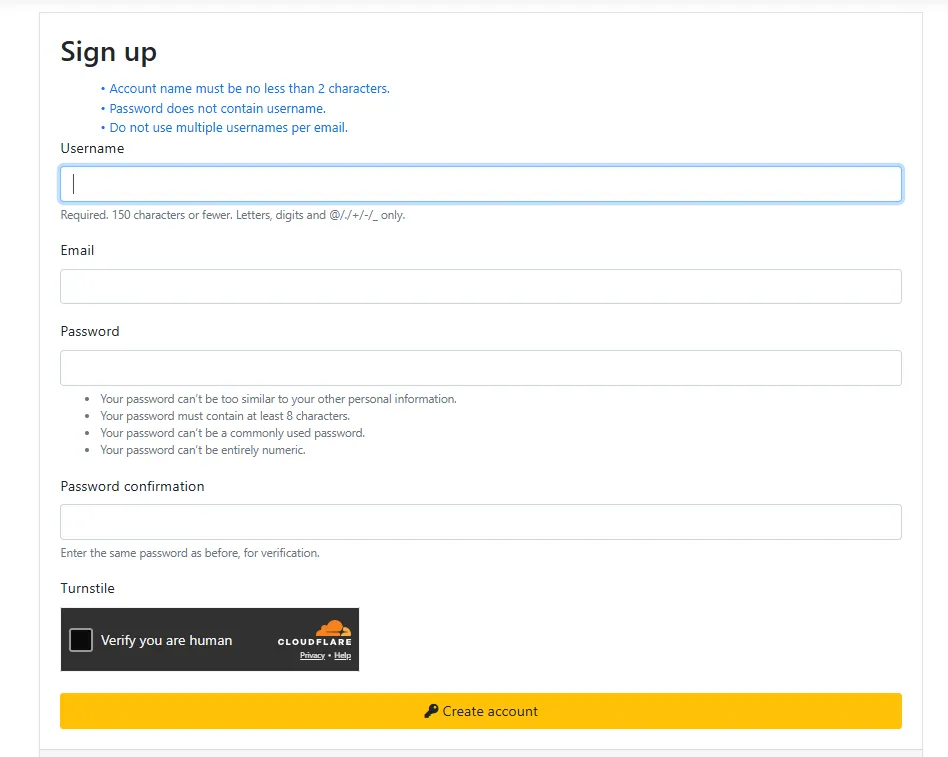
- Fill in Your Credentials: A sign-up form will appear. You need to fill in:
- Username: Choose a unique username (do not use spaces).
- Email: Enter a valid and active email address.
- Password: Create a secure password and type it again to confirm.
🔥 Pro Tip for Technicians: Open a Notepad file on your computer and type your exact Username and Email ID. Save this file! You will need to provide these exact details to activate your license later. Copy-pasting prevents spelling mistakes that can cause your activation to fail.
- Human Verification: Check the captcha box to verify you are a real user.
- Submit: Click the orange Create account button.
Step 2: How to Buy Unlock Tool Activation Instantly
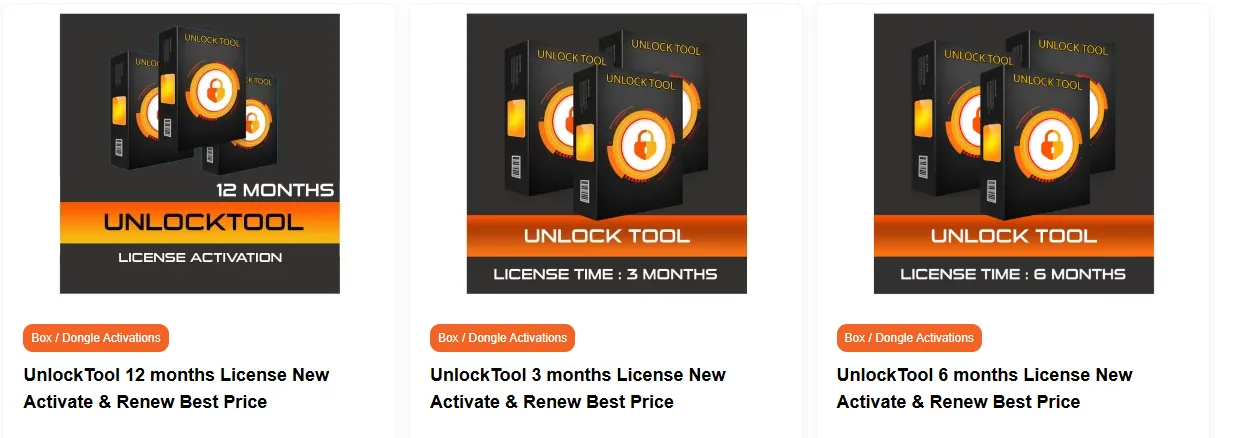
Once your account is registered, you need an active license to use the tool’s features. You can securely purchase 3, 6, or 12-month licenses directly from a trusted distributor.
- Go to the Activation Store: Visit mobifirmware.com.
- Find the Tool: From the top main menu, navigate to Tools Activation & Credits and select Box / Dongle Activations.
- Select Your Package: Scroll down to find Unlock Tool. Choose the license duration that fits your needs (3 Months, 6 Months, or 12 Months) and click Buy Now.
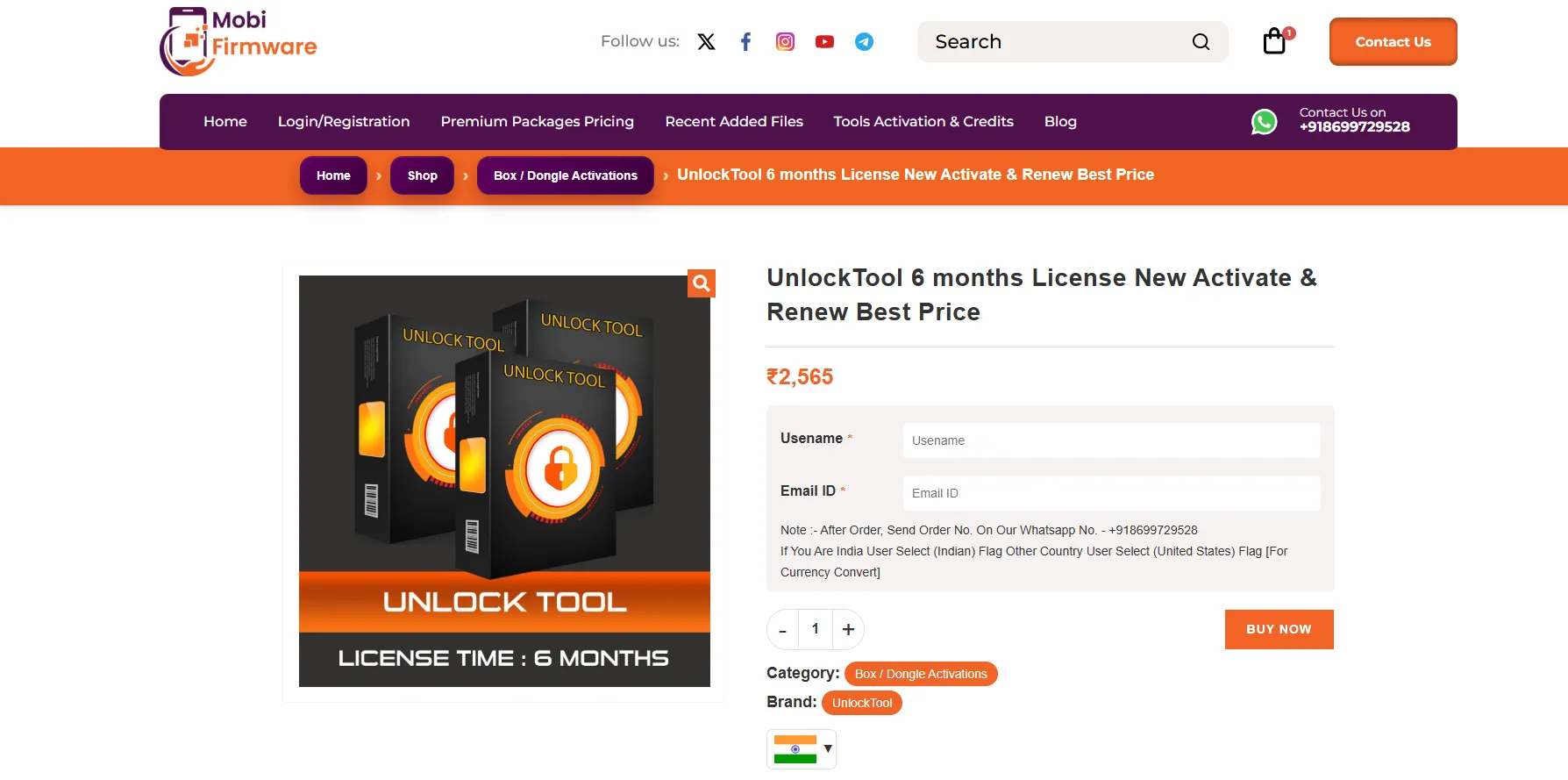
- Check the Currency & Pricing:
- For Indian Users: The price will automatically display in INR (₹).
- For International Users: Click the flag icon below the quantity selector and change it to the US Flag to view and pay in USD ($).
- Enter Your Account Details: Carefully type (or copy-paste from your Notepad) the exact Username and Email ID that you registered on unlocktool.net in Step 1.
- Click Buy Now to proceed to the secure checkout page.
- Complete Checkout: Fill in your basic billing details.
- Select Your Payment Method:
- Indian Users: Select Cashfree Payment to pay via UPI, Credit/Debit Cards, or Net Banking.
- International Users: Select PayPal or Binance Pay USDT (Crypto Gateway).
- Agree to the terms and click Pay Now.
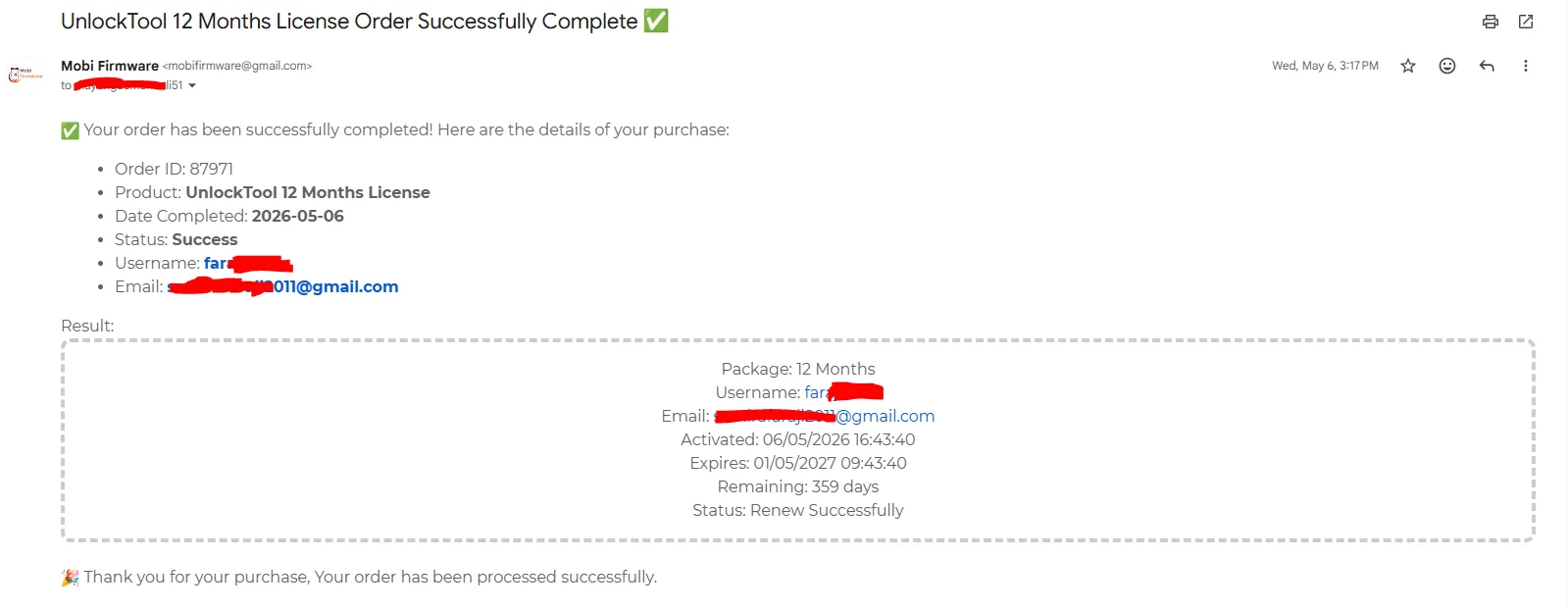
Once your secure payment is processed, your account will be activated quickly. You will receive a confirmation email containing your order details, license validity, and success status.
Step 3: How to Download and Log In
With your account officially active, the final step is downloading the software to your PC. The developers constantly push new updates for the latest mobile security patches, so you always need the newest version.
- Go to the Download Page: Return to unlocktool.net and click on Download in the top menu bar.
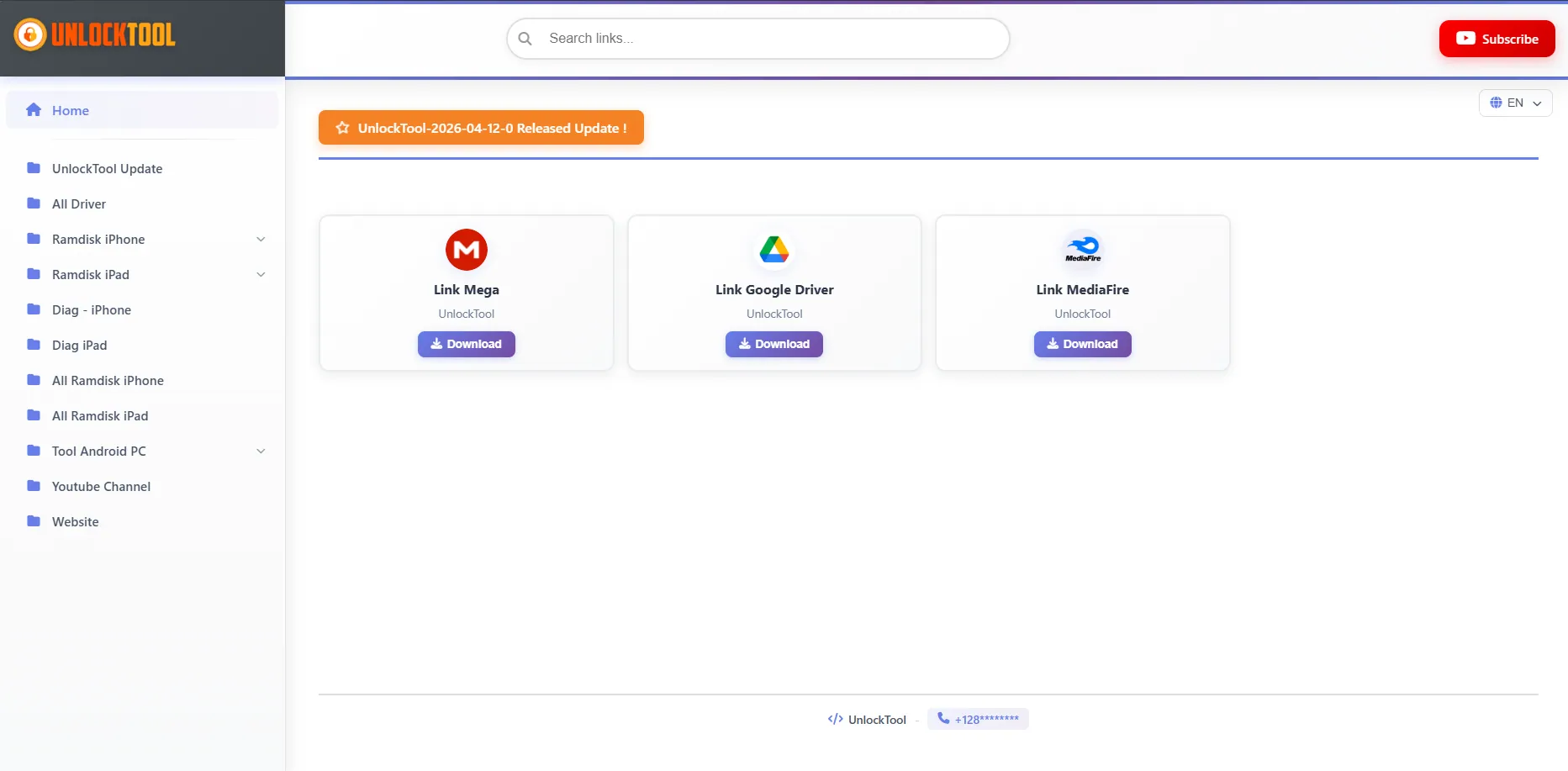
- Find the Links: Scroll down until you see the orange Link Download Tool button and click it.
- Choose Your Server: You will see multiple fast download servers (Google Drive, MediaFire, Mega, etc.). Select your preferred server and download the setup file to your desktop.
- Note: The Unlock Tool team automatically removes older versions, so the files hosted here are always the latest ones.
- Launch the Tool: Open the downloaded
UnlockTool.exefile. (No complex installation is required). - Log In: Enter your registered Username and Password.
- Click Login.
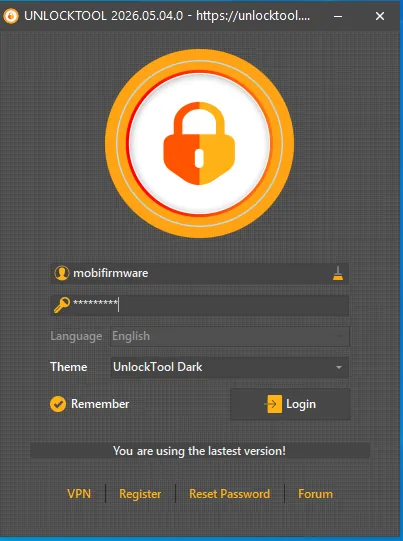
🎉 Congratulations! You are now fully logged in and ready to start unlocking, flashing, and repairing devices with Unlock Tool!
💡 Frequently Asked Questions (FAQ)
🔹 Q1. Is Unlock Tool free to use?
No, Unlock Tool is a premium paid software. You need to purchase an activation license (3 months, 6 months, or 12 months) from an authorized reseller like MobiFirmware to access its features.
🔹 Q2. Can I use my Unlock Tool account on multiple computers?
Yes, you can log into your account on different PCs, but there is a 6-hour cooldown limit. If you log in on PC 1, you must wait 6 hours before you can log in on PC 2.
🔹 Q3. What happens if I type the wrong username while buying?
Your activation will fail or be sent to the wrong account. It is highly recommended to save your Username and Email in Notepad during registration and copy-paste them during checkout to avoid spelling mistakes.
Ready to Grow Your Repair Business?
Get your Unlock Tool license today with instant email delivery and the best market price.